
Sitecore API Authorization and Sitecore GraphQL Client Libraries Reach v1.0.0
When building C# integrations against Sitecore XM Cloud and Experience Edge, it does not take long before OAuth2 token plumbing and GraphQL client setup start getting copied from one project to the next. Previously I shared the initial pre-release versions of two libraries I put together to stop rewriting that boilerplate. Over the last couple of days, I wrapped up a round of modernization, security hardening, and testing across both repositories and published v1.0.0 of SitecoreAPIAuthorization and SitecoreAPIGraphQLClient to NuGe.
If you have not run across them yet, these two packages handle the repetitive parts of talking to Sitecore APIs from .NET, such as acquiring and caching OAuth2 tokens, wiring up IHttpClientFactory, recovering cleanly from 401 Unauthorized responses, and managing multiple Sitecore endpoints
What’s New in v1.0.0
Moving from 0.9.x to 1.0.0 focused on making both packages ready for production workloads across modern .NET versions:
- Multi-targeted for .NET 8, .NET 9, and .NET 10: Both packages ship native targets for
net8.0,net9.0, andnet10.0, complete with SourceLink and portable.snupkgsymbol packages on NuGet for step-through debugging. - Opt-in HTTP resilience: Built-in
Microsoft.Extensions.Http.Resilienceintegration lets you attach standard retry and timeout pipelines during DI registration. On the GraphQL client,HTTP POSTretries stay disabled by default (AllowPostRetries = false) so mutations are never retried accidentally, while read-only delivery clients can opt right in. - Multi-tenant token isolation and
401replay: Named and dynamic GraphQL clients isolate credentials per(url, clientId, clientSecret), preserve 2-minuteIHttpClientFactoryDNS socket rotation, coalesce concurrent token refreshes, and safely replay GraphQLPOSTpayloads after a401 Unauthorized. - Secure defaults out of the box: Both libraries enforce
https://endpoints by default (with an explicit opt-in for local or internal container HTTP), mask secrets and bearer tokens inToString(), and strip query strings like?sc_apikey=from logs and exception messages.
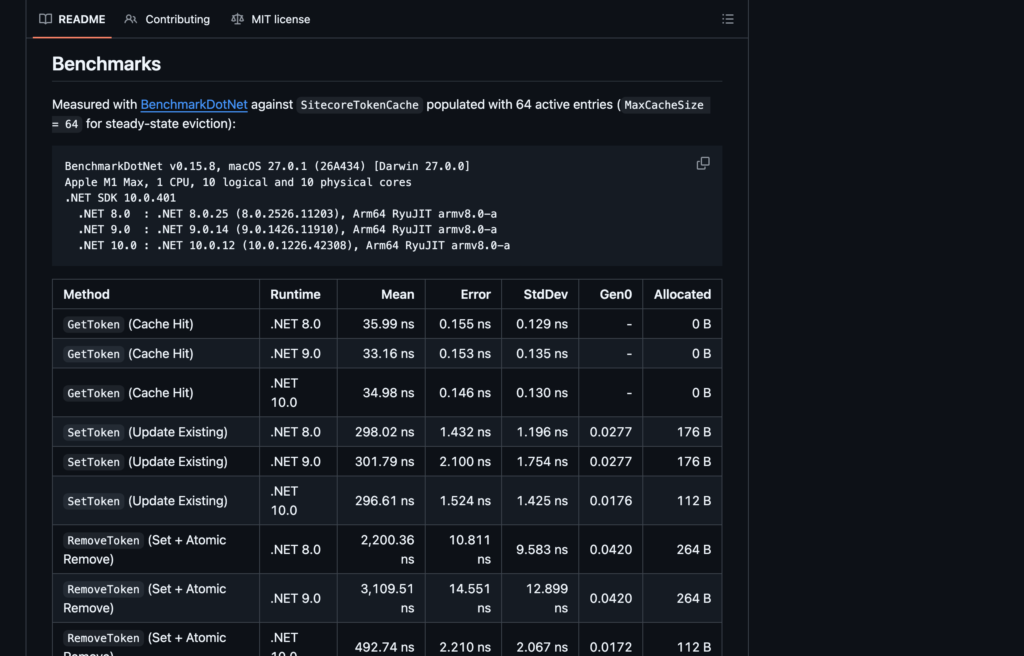
I also added BenchmarkDotNet suites across .NET 8, .NET 9, and .NET 10 for both libraries, measuring ~35 ns zero-allocation token cache hits and ~175–200 ns cached GraphQL client lookups. You can check out the full numbers in the Authorization benchmarks and GraphQL client benchmarks on GitHub.
Sitecore API Authorization Library
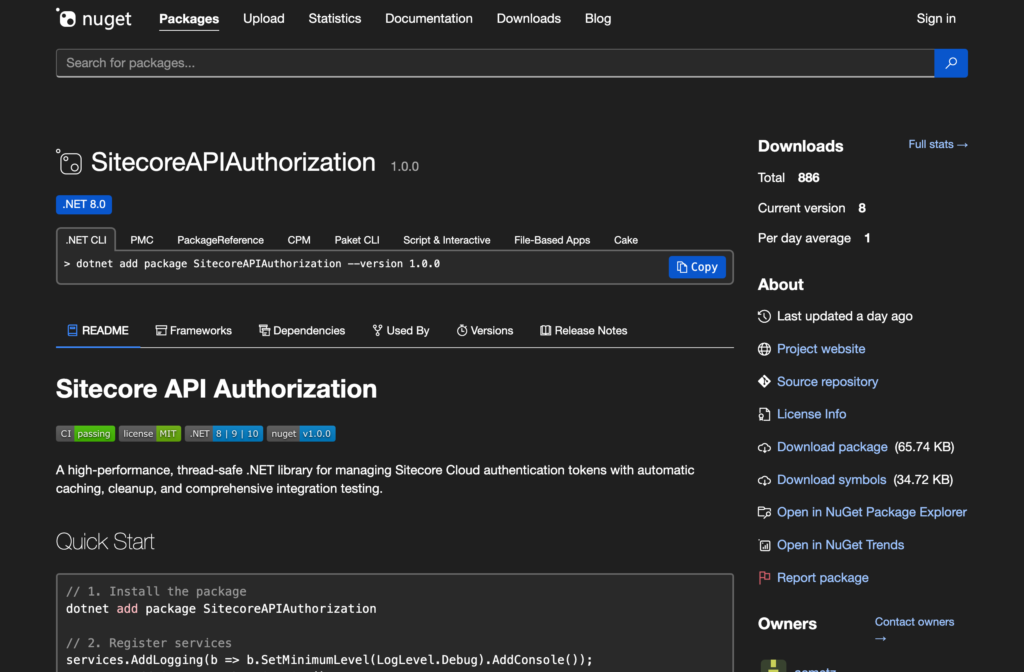
SitecoreAPIAuthorization is a thread-safe .NET library that manages Sitecore Cloud OAuth2 client-credentials tokens with automatic in-memory caching, size-bounded eviction, expiration cleanup, CancellationToken support, and structured logging. If you are calling Sitecore REST APIs directly or building your own HTTP clients, you can use this package completely standalone.
You can check out the repository on GitHub.
How to install the Sitecore API Authorization Library
To install, add SitecoreAPIAuthorization via NuGet:
dotnet add package SitecoreAPIAuthorization
How to use the Sitecore API Authorization Library
First, register the authentication service in your dependency injection container:
using Sitecore.API.Foundation.Authorization.DependencyInjection;

builder.Services.AddSitecoreAuthentication(builder.Configuration);
Once registered, inject ISitecoreTokenService wherever you need a bearer token:
using Sitecore.API.Foundation.Authorization.Abstractions;
using Sitecore.API.Foundation.Authorization.Models;

public class MySitecoreService
{
    private readonly ISitecoreTokenService _tokenService;

    public MySitecoreService(ISitecoreTokenService tokenService)
    {
        _tokenService = tokenService;
    }

    public async Task<SitecoreAuthToken> GetTokenAsync(CancellationToken ct = default)
    {
        var credentials = new SitecoreAuthClientCredentials("your-client-id", "your-client-secret");
        return await _tokenService.GetSitecoreAuthToken(credentials, ct);
    }
}
Sitecore GraphQL Client Library
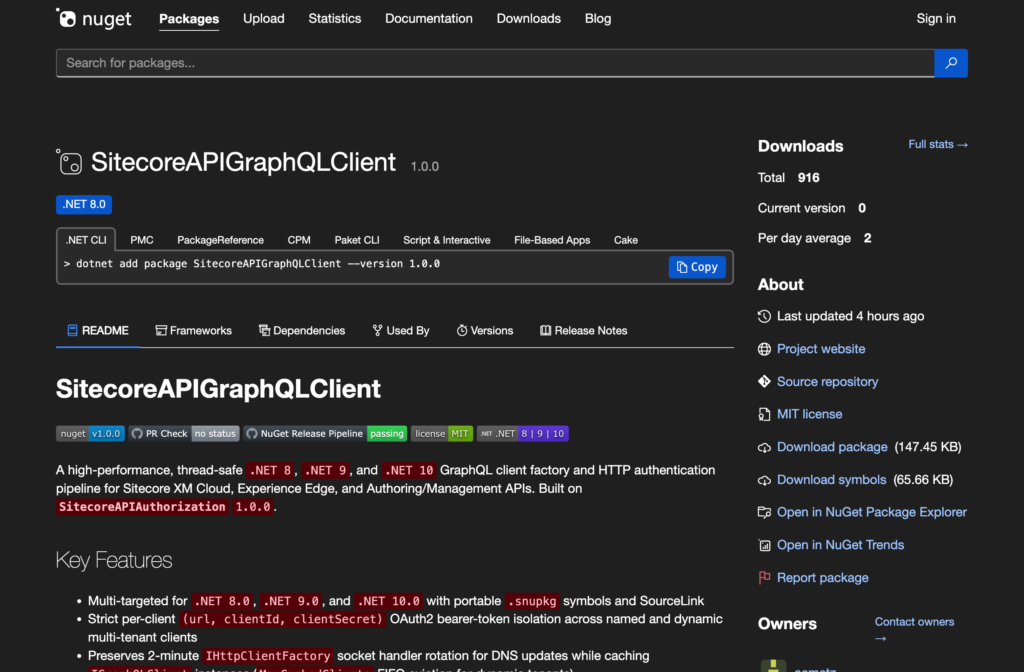
SitecoreAPIGraphQLClient builds directly on SitecoreAPIAuthorization 1.0.0 to provide a thread-safe, DI-friendly factory for IGraphQLClient instances targeting Sitecore XM Cloud, Experience Edge, and Authoring/Management GraphQL APIs. It handles bearer token injection, per-client token isolation, and automatic 401 token refresh behind the scenes.
This library is also available on GitHub.
How to install the Sitecore GraphQL Client Library
Add SitecoreAPIGraphQLClient via NuGet:
dotnet add package SitecoreAPIAuthorization
dotnet add package SitecoreAPIGraphQLClient
How to use the Sitecore GraphQL Client Library
Start by adding your default endpoint and any named client overrides in appsettings.json. Named clients automatically inherit any unset values from the top-level Sitecore:GraphQL section:
{
  "SitecoreAuthentication": {
    "AuthTokenUrl": "https://auth.sitecorecloud.io/oauth/token"
  },
  "Sitecore": {
    "GraphQL": {
      "Endpoint": "https://edge.sitecorecloud.io/api/graphql/v1?sc_apikey=your-api-key",
      "ClientId": "your-client-id",
      "ClientSecret": "your-client-secret",
      "Clients": {
        "authoring": {
          "Endpoint": "https://xmcloud.example/sitecore/api/authoring/graphql/v1",
          "ClientId": "authoring-client-id",
          "ClientSecret": "authoring-client-secret"
        },
        "delivery": {
          "Endpoint": "https://edge.sitecorecloud.io/api/graphql/v1?sc_apikey=delivery-key",
          "ClientId": "delivery-client-id",
          "ClientSecret": "delivery-client-secret",
          "AllowPostRetries": true
        }
      }
    }
  }
}
Next, wire up both services in Program.cs, optionally enabling standard HTTP resilience:
using Sitecore.API.Foundation.Authorization.DependencyInjection;
using Sitecore.API.Foundation.GraphQL.DependencyInjection;

builder.Services.AddSitecoreAuthentication(builder.Configuration);

builder.Services.AddSitecoreGraphQL(
    builder.Configuration,
    configureResilience: resilience =>
    {
        resilience.Retry.MaxRetryAttempts = 2;
        resilience.TotalRequestTimeout.Timeout = TimeSpan.FromSeconds(30);
    });
From there, inject ISitecoreGraphQLFactory and send strongly typed queries (serialized with Newtonsoft.Json):
using GraphQL;
using Newtonsoft.Json;
using Sitecore.API.Foundation.GraphQL;

public sealed class PageQueryResponse
{
    [JsonProperty("item")]
    public PageItem? Item { get; set; }
}

public sealed class PageItem
{
    [JsonProperty("id")]
    public Guid Id { get; set; }

    [JsonProperty("name")]
    public string Name { get; set; } = string.Empty;
}

public sealed class ContentConsumer
{
    private readonly ISitecoreGraphQLFactory _factory;

    public ContentConsumer(ISitecoreGraphQLFactory factory) => _factory = factory;

    public async Task<PageItem?> GetHomeItemAsync(CancellationToken ct = default)
    {
        var client = await _factory.CreateClientAsync(ct);
        var request = new GraphQLRequest
        {
            Query = "query GetItem($path: String!, $language: String!) { item(path: $path, language: $language) { id name } }",
            Variables = new { path = "/sitecore/content/Home", language = "en" }
        };

        var response = await client.SendQueryAsync<PageQueryResponse>(request, ct);
        return response.Data?.Item;
    }
}
And if you configured multiple environments or APIs, resolving a named client is just a one-liner:
var authoringClient = await _factory.CreateClientByNameAsync("authoring", ct);
var deliveryClient  = await _factory.CreateClientByNameAsync("delivery", ct);
Conclusion
Getting both SitecoreAPIAuthorization and SitecoreAPIGraphQLClient to v1.0.0 puts a solid foundation underneath the auth and GraphQL plumbing we end up needing on nearly every Sitecore .NET integration. Whether you are already running on .NET 8 and .NET 9 or testing out .NET 10, you can pull them straight from NuGet and skip writing another token handler from scratch. Give them a spin, and if you run into an edge case or have ideas to make them even better, feel free to open an issue or PR on GitHub.